
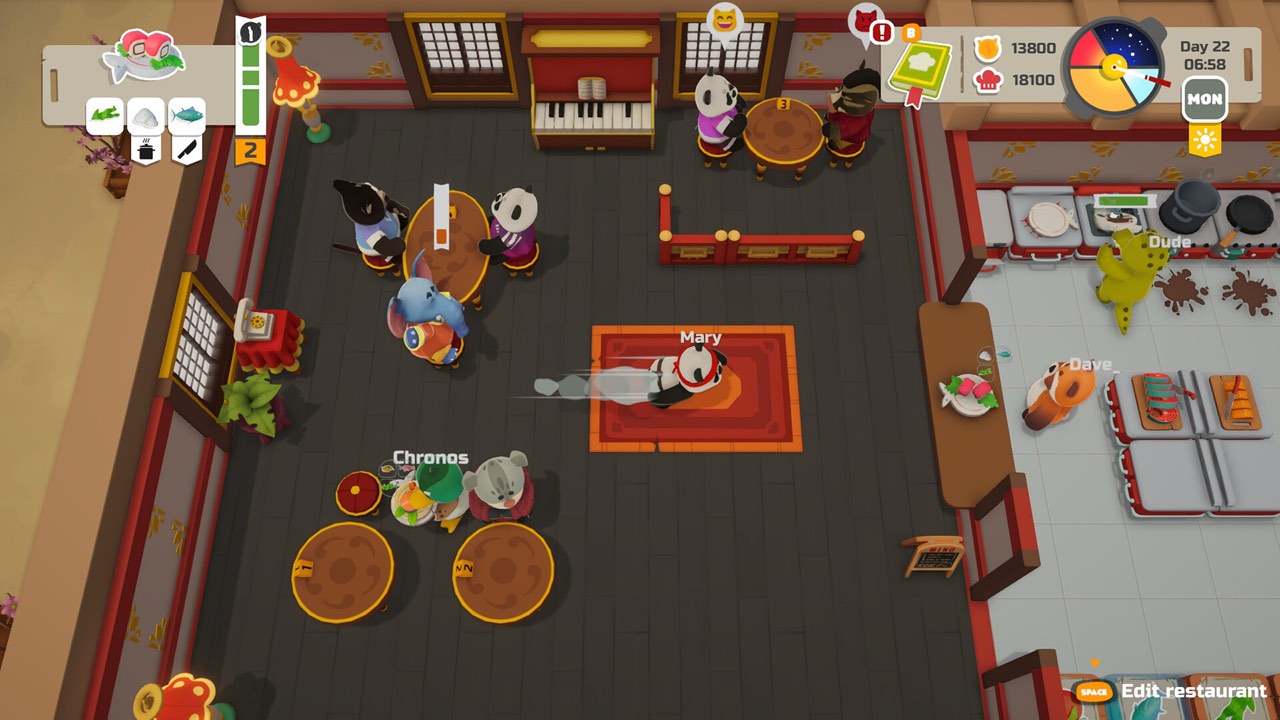
The opening checklist, step by step
PAO PAO does not drop you straight into a busy dinner rush. After the tutorial, the game hands you a short list of restaurant tasks, and both recent demo sessions follow the same order. NAC Games reaches the list at about 06:07 in a September 27, 2026 video, while Becktoriiia reaches the same checklist at about 13:52 in an October 22, 2026 session.
- Buy groceries. You need ingredients before any dish can be cooked.
- Place equipment. Stations must be set up in the restaurant before service.
- Prepare a daily menu. Choose the dishes you will offer for the day.
- Open the restaurant. Customers arrive once you are ready to serve.
Treat this list as the spine of your first day in town. Each step prepares the next one, so skipping ahead usually means walking back to the market or reopening the edit screen. Working through it in order is the fastest way to get your first customers seated and served.
Getting ingredients for your first menu
Groceries come first because nothing can be cooked without them. In the September 2026 footage, the market sells catfish along with vegetables such as carrots and tomatoes, which is enough to try simple dishes. Buy only what your planned menu needs, since every extra item is money that is not yet earning anything back.
Later you can supply the kitchen in other ways. Fishing, farming and gathering in the surrounding world are all confirmed ingredient routes, and the Steam listing describes them as part of the core loop. The ingredient locations guide organizes each route and explains what is and is not confirmed about vendor stock.
Keep your first menu small
The most consistent lesson from the footage is to start with fewer dishes. Late in her October session, at about 28:46, Becktoriiia reflects that a simpler menu would have made the shift easier. An older January 2026 hands-on impression from LadiesGamers makes the same point and suggests starting with a single dish to reduce overload.
A short menu means fewer ingredients to buy, fewer stations to check and fewer steps to remember while orders stack up. Pick dishes you can actually supply with what you bought, then add more once the workflow feels comfortable. Our recipes guide explains how to read the in-game cookbook and includes one fully verified starter dish, catfish sashimi.
Check equipment before you open
Every dish depends on the right station being in place. If a recipe needs a tool you have not placed, you will only notice when the order arrives, so compare the menu with your kitchen before opening. Arrange stations while the restaurant is still closed: in the September footage the player discovers that editing is not available once service has started.
Leave clear walking space between storage, preparation and cooking spots. Both creators had to move boxes or a bin that blocked access, which slowed them down in the middle of a shift. The restaurant layout guide turns those observations into a practical starter workflow you can copy and adjust.
Understand the service loop
Once the doors open, the rhythm is cooking, serving and cleaning, with ingredient gathering in between shifts. Independent impressions from Cozy Escapism describe that wider loop in an earlier demo, and the recent videos show the same pattern. Washing up is part of the job, so plan time for it instead of letting dirty dishes pile up behind you.
Serving customers is also how you earn money early on. A steady, manageable menu keeps orders moving and avoids failed dishes that waste ingredients. For more on income, read how to make money in PAO PAO, which separates the verified earning routes from guesses.
Use the quest journal to branch out
After the first restaurant tasks, introductory town quests lead toward other activities. In the September session this starts around 48:54, when town tasks begin pointing the player beyond the kitchen. The quest journal and guidance system arrived in a May 2025 demo update, and it remains the best place to see what to do next.
Fishing and farming both open from these early quests. The fishing rod comes from an NPC named Croc, as explained in our fishing rod guide, while planting starts with garden beds and seeds in the farming guide. Fish and crops can then supply your restaurant alongside what you buy at the market.
Playing solo or with friends
You can learn all of this alone or with friends. The publisher confirms PAO PAO for solo play or online co-op with up to four players in total. In co-op, the same checklist applies, but tasks such as cooking, serving, cleaning and gathering can be shared out between players.
Online sessions received specific fixes in the October 1, 2026 patch, including private-lobby joining and network synchronization. Those notes describe improvements rather than a promise that every connection problem is gone. The co-op guide covers the player limit and the online versus local distinction in more detail.
Trust current prompts over old walkthroughs
PAO PAO has changed a lot between demo builds. The October 1, 2026 patch improved tutorial and interaction hints, so the prompts you see now may be clearer than those in older videos. If a 2025 walkthrough describes a different order of quests, follow your own quest journal instead.
This guide is based on demo footage and official notes, not on a hands-on test of the full Early Access version. Treat it as a reliable first-session outline rather than a fixed schedule for every player. We do not promise a set number of hours to reach a goal or a guaranteed amount of money by a certain day.
Quick recap for new players
Finish the tutorial, then follow the checklist: groceries, equipment, daily menu and opening time. Start with one or two dishes, confirm the stations they need and keep your walkways clear. Clean as you go so service does not stall halfway through the day.
When the restaurant feels manageable, open the quest journal and head out for fishing and farming. Each new ingredient source gives you more freedom when planning tomorrow's menu. Come back to this wiki whenever the next question appears, and check the official Steam page for the current release status.
Sources and further reading
- Just a Cozy Lil Guy Running a Chaotic Restaurant! — NAC Games
- This Cosy Restaurant Game Is ADORABLE!! — Becktoriiia
- PAO PAO — Steam store
- PAO PAO Demo Impressions — LadiesGamers
- PAO PAO Feels Like Overcooked, But With More Charm — Cozy Escapism
- PAO PAO — ArtDock
- PAO PAO Demo Update #2
- Pao Pao free demo is now available to play! — Dreland
- Pao Pao Second Patch is Live!